

How it works
Three taps, any app.
Set it up once in the app (three quick steps, about 2 minutes), and Copiya is a double-tap away everywhere.
Double-tap the back of your iPhone
In any app. Copiya reads the text on your screen, right on your iPhone.
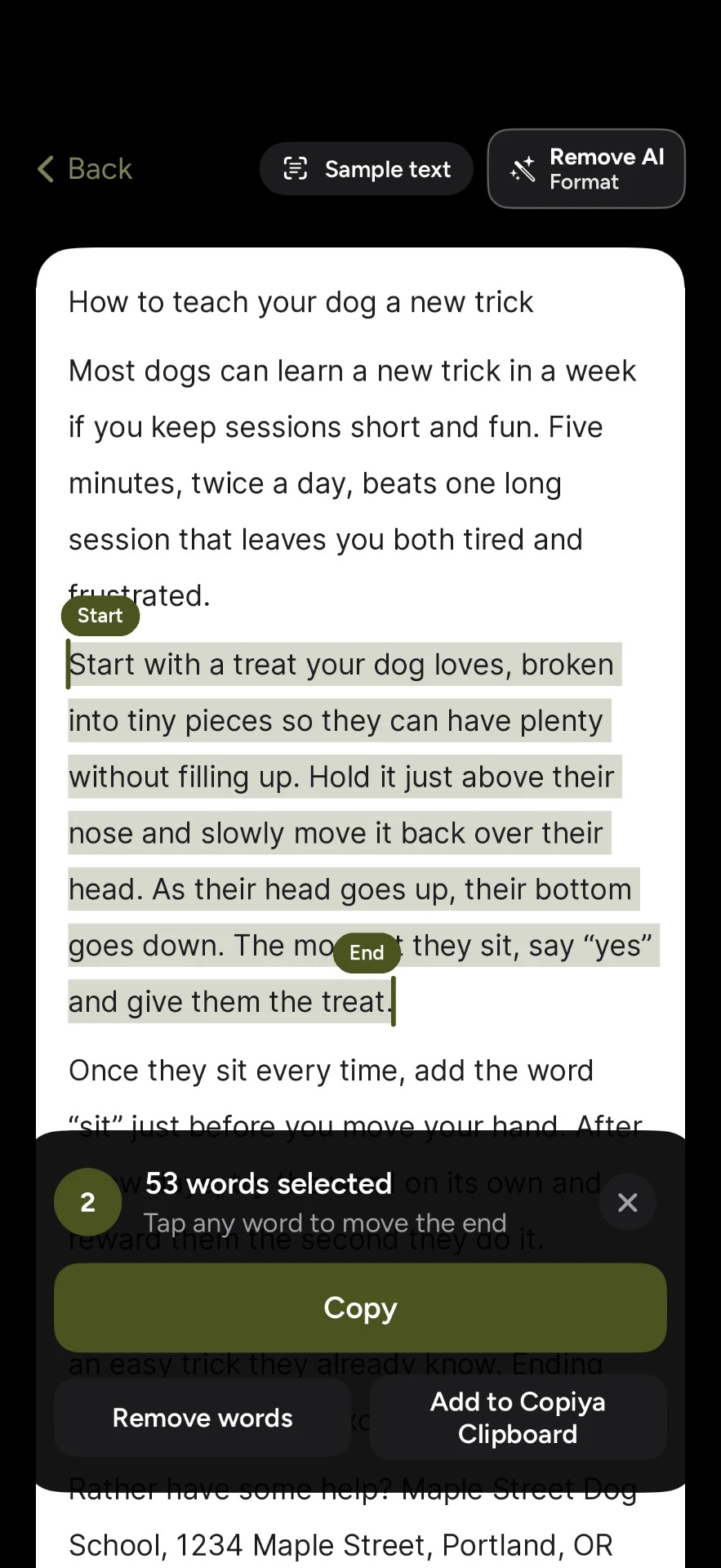
Tap the first word, then the last
Everything in between is selected. Tap another word to change where it starts or ends.
Tap Copy and go back
Swipe right along the bar at the bottom of the screen (or tap the app’s name at the top-left, if iPhone shows it) and paste where you were.
Just need a number?
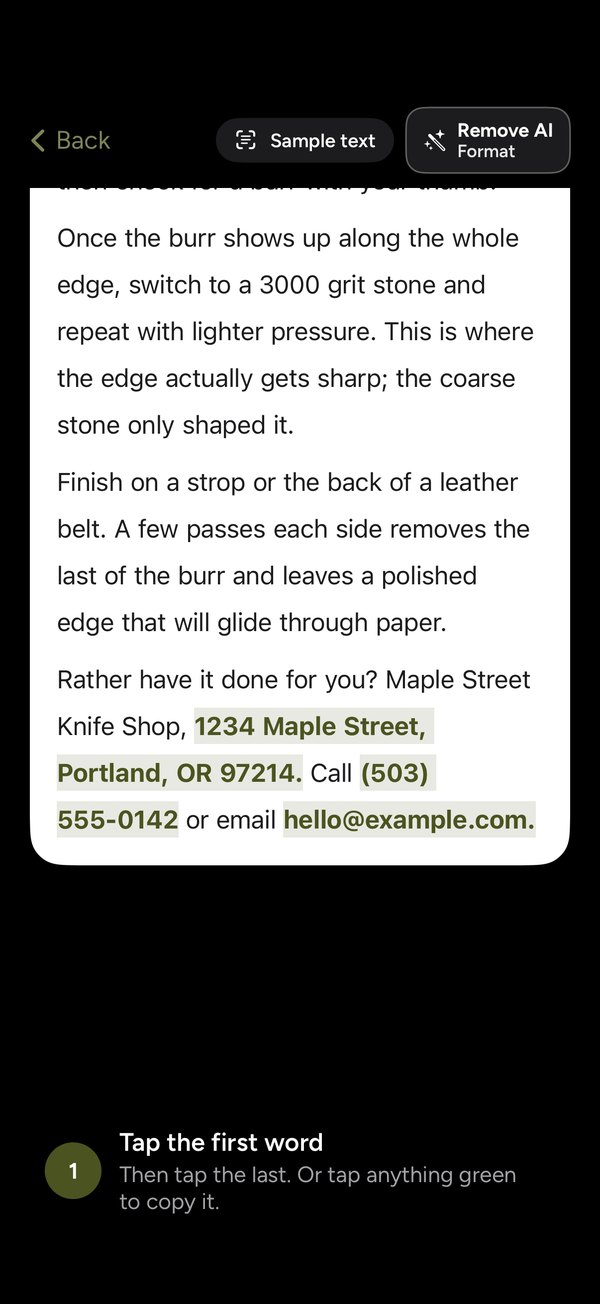
Phone numbers, emails and addresses light up green.
Before you pick a word, Copiya finds them for you. Tap one and it’s copied, nothing else.
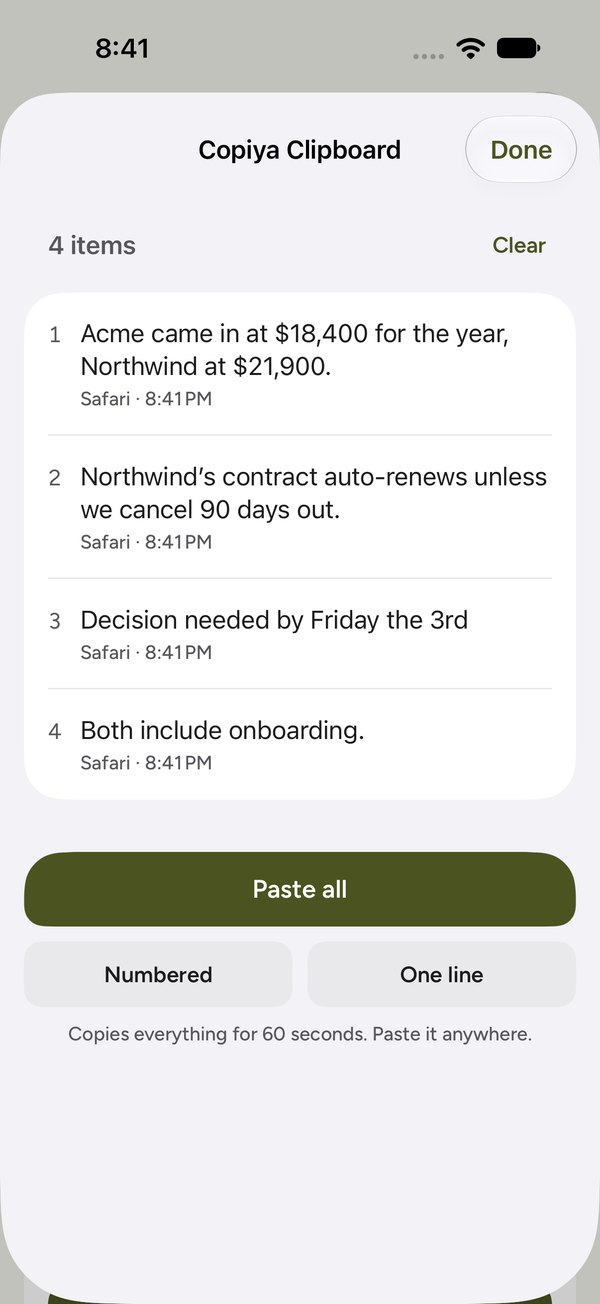
Collecting from a few places? Add each piece to your Copiya Clipboard and paste them all at once. Pieces keep for 24 hours.
Free features
Little things that save a lot of fiddling.
Numbers, emails and addresses in green
Before you pick a word, Copiya highlights phone numbers, email addresses and street addresses. One tap copies one.
Leave words out
Strike out the words you don’t want, and copy the rest.
Remove AI Format
Turns long dashes into commas and drops lines like “Made with ChatGPT” and the “Would you like me to…?” at the end. It uses no AI to do it.
Copiya Clipboard
Collect pieces from different places, then paste them all at once, numbered or on one line.
Made for Safari, too
Select right on a web page, or capture a whole page as a picture, a PDF or clean text.
Share it to Copiya
Send screenshots, photos or a PDF from the share sheet and pick the words you want. Copiya reads them on your iPhone and joins up to 10 screenshots into one. Share a link to capture that page.
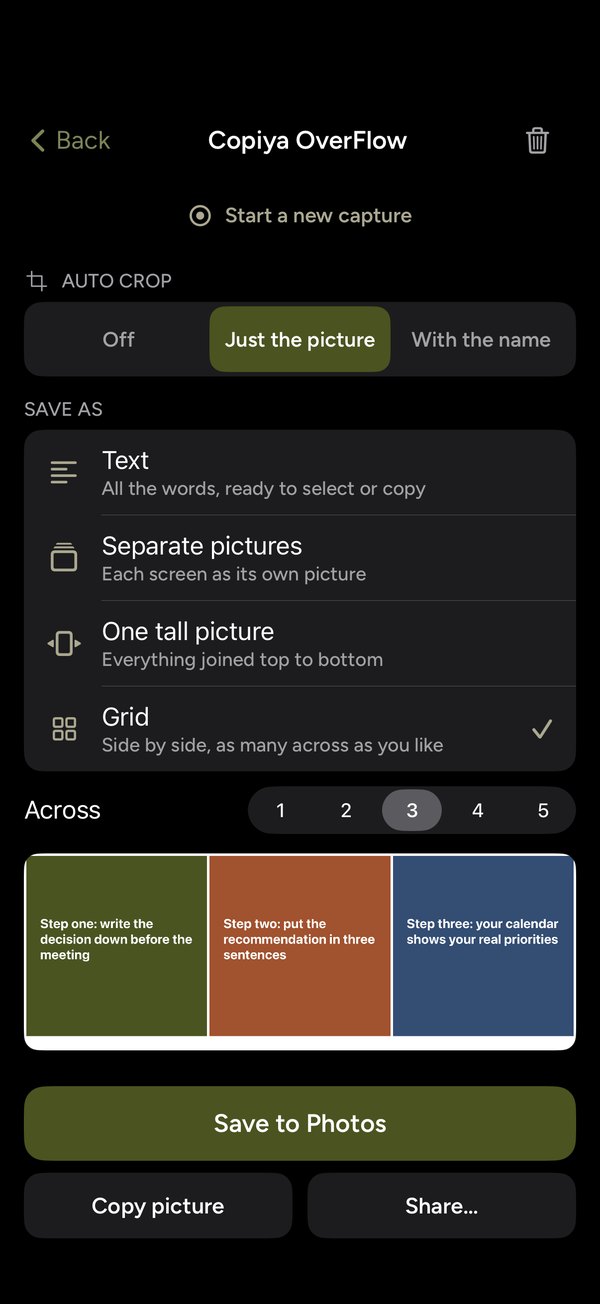
Copiya OverFlow: for everything that doesn’t fit on one screen.
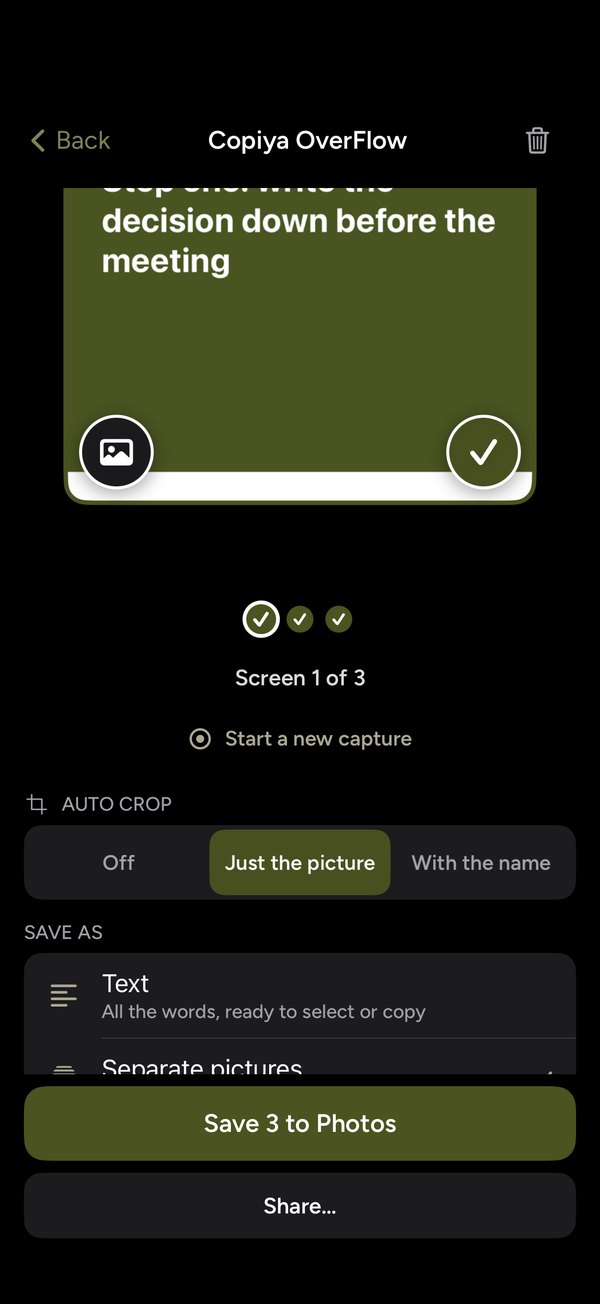
Photo dumps, slides, long posts and whole chats. Start a capture, then just scroll. Every screen you pause on is saved, and during a long scroll nothing in between goes missing.
- Pictures cropped to just the picture, or saved as one grid or one tall picture
- All the words from a long post or chat, joined into one piece you can select and copy
- Triple-tap the back of your iPhone to save just the screen you’re on
- Before you copy, double-tap again within 90 seconds to add the next screen to the same selection
You start a capture on iPhone’s own sheet, and iPhone shows its recording indicator while it runs. Saved screens stay on your iPhone, screens where Copiya spots the keyboard are deleted before you see them, and saved screens delete themselves 10 minutes after the last one was saved. A capture stops when you finish, after 3 minutes or at 30 screens.
Your screen stays on your iPhone.
Copiya has no account, no servers, no analytics, no ads and no tracking. The text it reads, the screens it saves and everything you copy stay on your iPhone and are never sent to us.

Pricing
Free to copy. Premium when you want OverFlow.
Copiya
Double-tap copying with no limit, green quick copies, Remove AI Format, the Copiya Clipboard, Safari, page capture and the share sheet. No ads.
Copiya Premium Best value
Or $2.99 a month. New subscribers get 14 days free. Adds Copiya OverFlow and joining double-taps.
Premium, forever
Pay once and keep Copiya Premium. Nothing renews, nothing to cancel.
Prices are in US dollars; the App Store shows the price where you live. Subscriptions are bought and billed through your Apple Account and renew automatically at the same price until you cancel. A free trial becomes a paid subscription unless you cancel at least a day before it ends. Cancel any time in Copiya › Settings › Cancel subscription, or in iPhone Settings › your name › Subscriptions; you keep Premium until the end of the period you paid for. Refunds are handled by Apple at reportaproblem.apple.com. The one-time purchase never renews. See the Terms of Use.
Questions
Good to know
Which devices does Copiya work on?
Any iPhone with iOS 17 or later. Copiya is made for iPhone, because Back Tap is an iPhone feature.
Does Copiya see everything on my screen?
Only when you use it: a double-tap or triple-tap reads the screen you’re on, and an OverFlow capture runs only after you start it on iPhone’s own sheet. If you turn on the Safari extension, it also hands Copiya the page you just left, which Copiya uses only if you double-tap within a minute; it’s replaced by the next page you leave (never Private Browsing or sign-in pages). All of it happens on your iPhone and nothing is sent to us. When you capture a web page, Copiya loads it straight from that website. Privacy Policy.
How do I cancel a subscription?
In Copiya, open Settings and tap Cancel subscription. Or go to iPhone Settings › your name › Subscriptions › Copiya.
I bought Premium on another iPhone.
Open Copiya › Settings › Restore Purchases, signed in with the same Apple Account.
Something isn’t working.
In Copiya, open Settings › Report a problem, tell us what happened and tap Send. Or email support@reludellc.com. More on the Support page.

Ready to change the way you copy?
Copiya is free. Copi would like you to say yes.
Coming soon to the App Store